Reduce event queues
Guests place orders without crowding vendor counters, keeping walkways and service areas clearer.
Multi-vendor ordering for large events
Guests browse, order and pay at their leisure—then collect only when their order is ready. A safer, more secure kiosk experience designed for busy venues and unreliable mobile coverage.
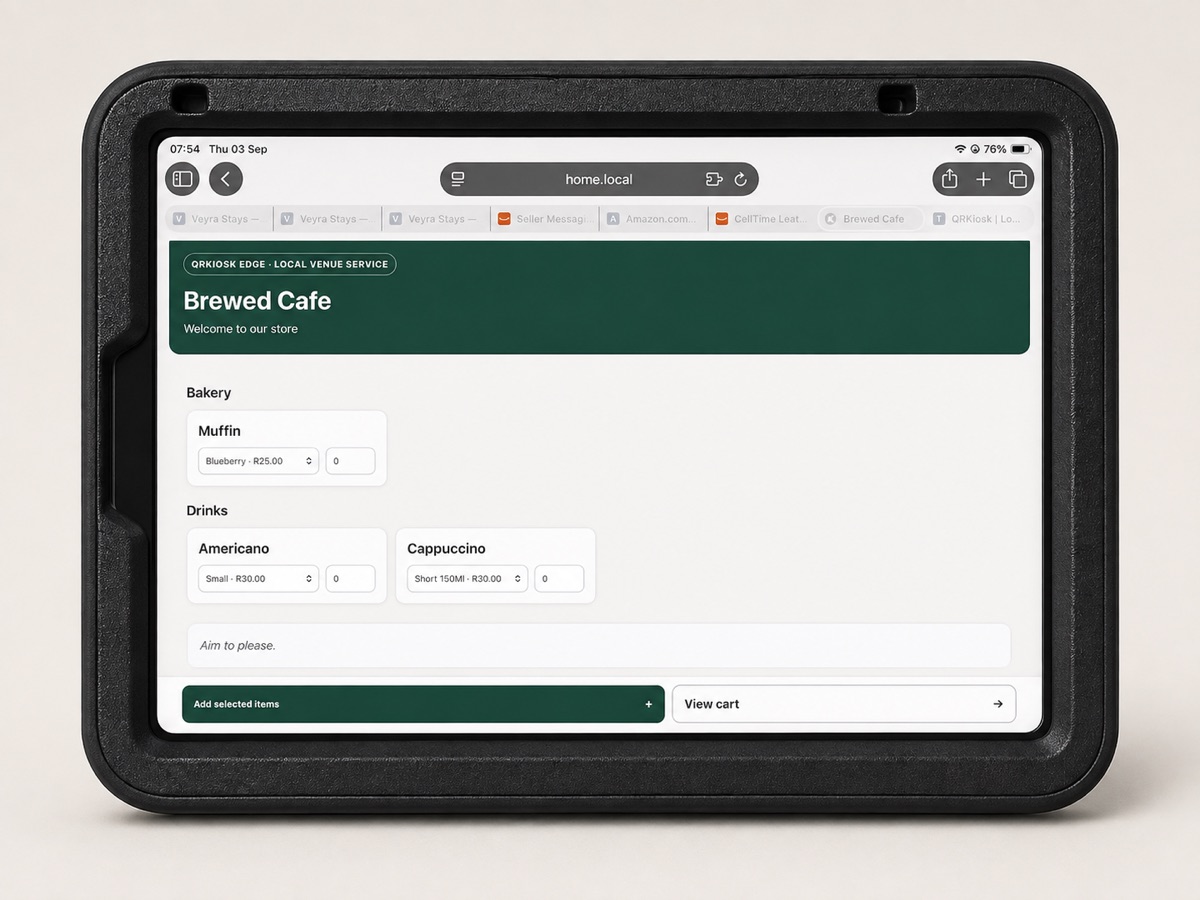
Guests place orders without crowding vendor counters, keeping walkways and service areas clearer.
Customers choose and pay when it suits them, then return to the kiosk only for collection.
Multiple vendors, secure payment tracking and live fulfilment remain manageable when mobile coverage struggles.
One platform, three ways to serve
Kiosk
Customers connect on site, place and pay for an individual order, then collect when the vendor marks it ready.
Takeaway · Order ahead
Customers order before arriving and receive a standalone collection order. Nothing is added to a table bill.
Restaurant
Guests scan their table QR, add rounds to an open bill and follow each order while the kitchen prepares it.
The technology in action
QRKiosk Edge keeps the customer storefront and staff fulfilment tools close to the point of service, giving each side a clear, purpose-built view.
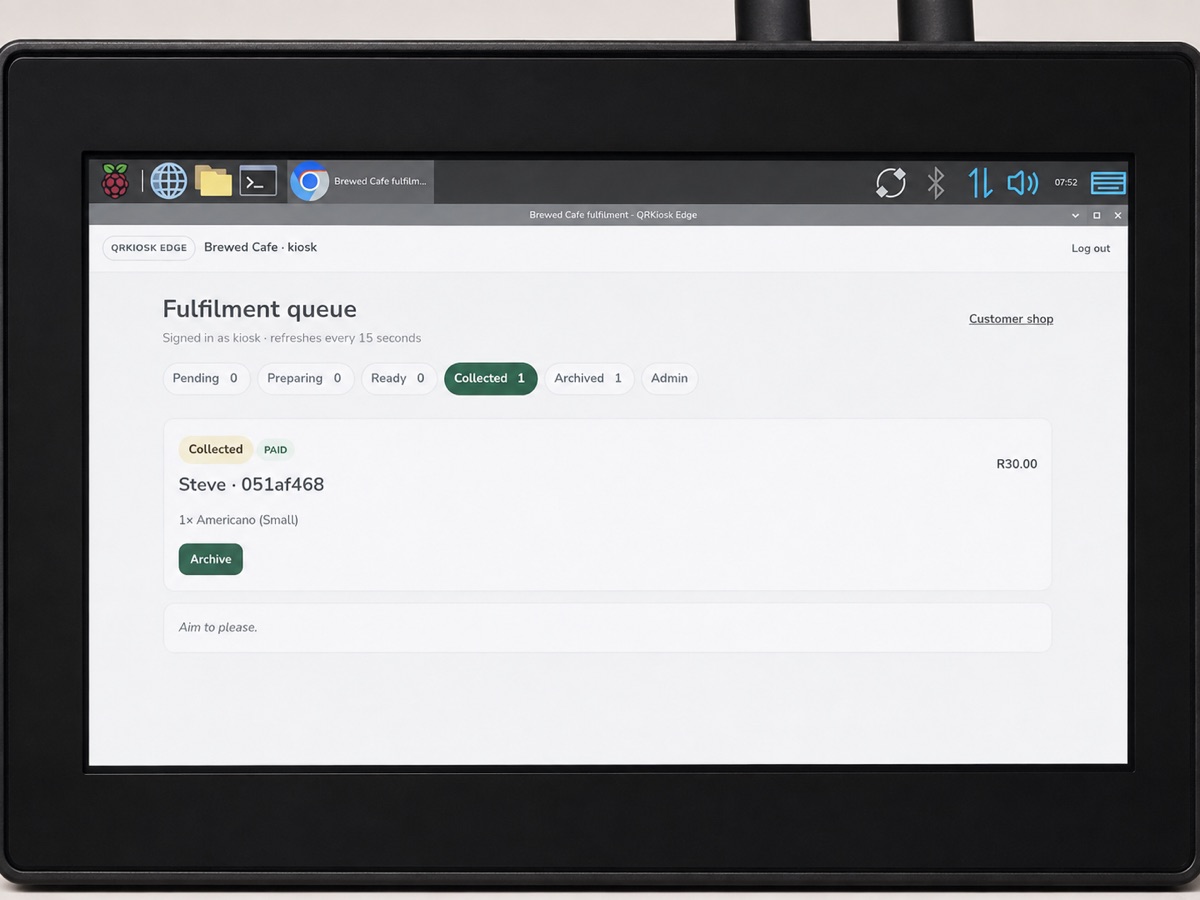
The on-site device keeps the ordering experience available close to the venue operation.
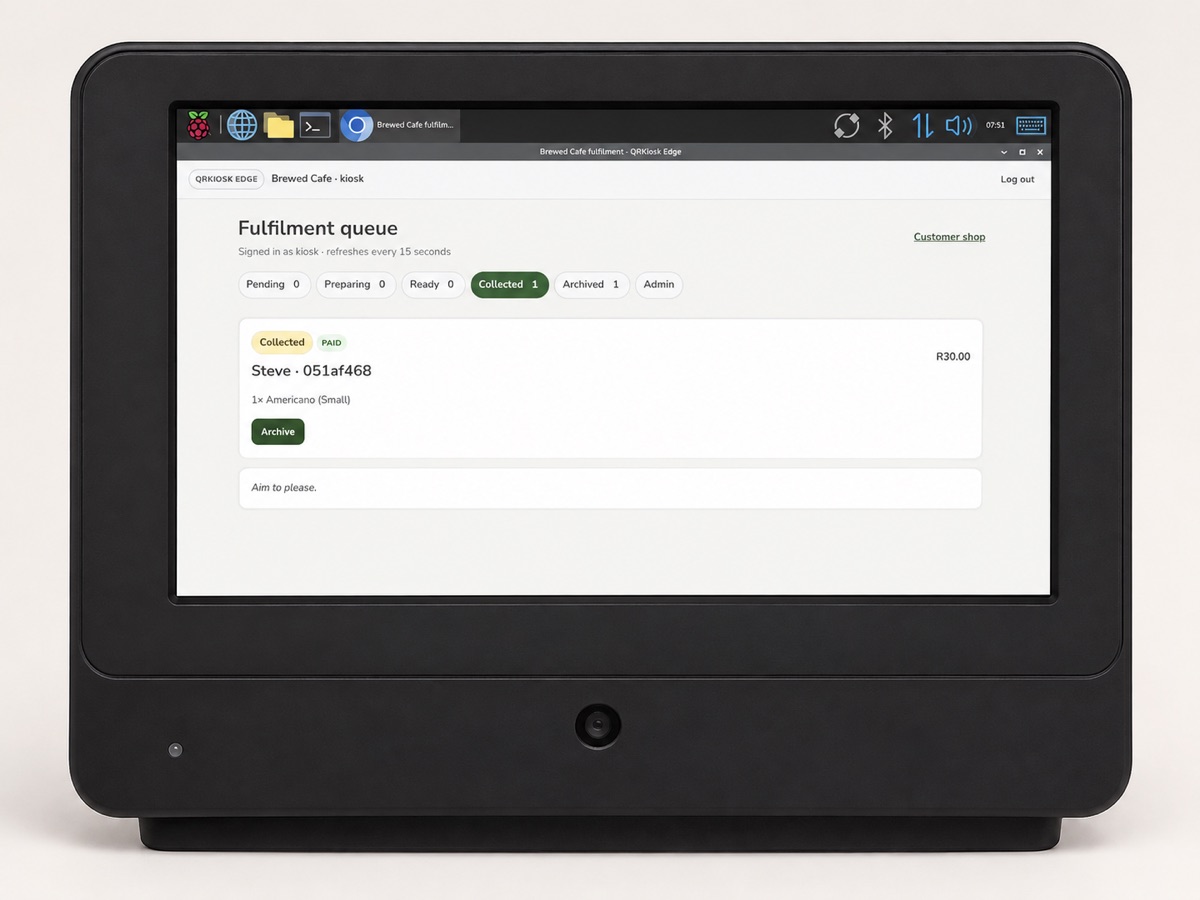
Staff move work through Pending, Preparing, Ready and Collected queues from one focused dashboard.
For existing kiosk vendors
Join an event without giving up control of the way you trade. Each vendor receives an independent storefront and staff workspace, configured around their own products and operation.
Add products, choices and variants, then manage your own pricing whenever the menu changes.
Receive and manage orders through clear Pending, Preparing, Ready and Collected queues.
Connect supported payment services using the vendor's own credentials and keep payment activity linked to the correct kiosk.